
Executive Summary: Federal agencies spend hundreds of billions on goods and services each year, and small businesses are guaranteed a share of that market[1]. To begin, register your company in SAM.gov to get a Unique Entity ID[1][2]. Update your SAM profile with accurate NAICS codes and any SBA socio-economic status (8(a), HUBZone, etc.)[1][3]. Obtain relevant SBA certifications (visit certify.sba.gov) to qualify for set-aside contracts[3]. Next, craft a clear one-page capability statement highlighting your core competencies and past performance[4]. Then conduct federal market research: search SAM.gov contract opportunities, review FPDS award data, and consult agency procurement forecasts[5][6]. As a subcontractor, also seek teaming leads – use SBA’s SUBNet and DSBS databases and local PTAC/APEX resources[7][8]. Understand compliance (FAR clauses, DoD CMMC if applicable) and prepare a proposal with competitive pricing (FAR requires fair and reasonable prices[9]). Throughout each step, Procura’s AI tools help automate work. For example, upload your capability statement into Procura and its AI will automatically scan all of SAM.gov, read complete solicitations, and deliver fit scores with executive summaries[10][11]. Procura’s features—automatic opportunity discovery, deep RFP analysis, alerts, and summaries—save time and keep you focused on winning work.
1. Register Your Business (SAM.gov) – Entity Registration
Every federal contract bid starts with SAM.gov registration[1][2]. Create an entity profile to get a Unique Entity ID (UEI) – this free process puts you in the official government contractor database[2]. In SAM, certify your business size and any SBA program eligibility (e.g. 8(a), HUBZone, Veteran-owned)[1]. Use clear, descriptive NAICS codes and terms in your profile – contracting officers will find you by those search criteria[12]. (If you need help, local PTAC/APEX centers provide free SAM registration assistance[8].) Once registered, Procura’s AI will continually monitor SAM.gov for new bids matching your profile[10]. This means you don’t have to log into SAM daily; Procura automatically finds and analyzes all relevant opportunities for you.
2. Obtain SBA Certifications
Get certified in any SBA set-aside programs that apply to your business. Agencies often reserve contracts for 8(a) firms, women-owned businesses, HUBZone companies, etc.[3]. Enroll at SBA.gov and note these statuses in SAM. Also, complete your profile in SBA’s Dynamic Small Business Search (DSBS) – prime contractors use DSBS to find small subcontractors[13]. Including certifications in your SAM and DSBS profiles will make you searchable for those set-asides. Procura will incorporate this information from your capability statement, ensuring it highlights bids reserved for your certification status[14]. In practice, that means Procura will surface small-business opportunities you qualify for without any extra filtering.
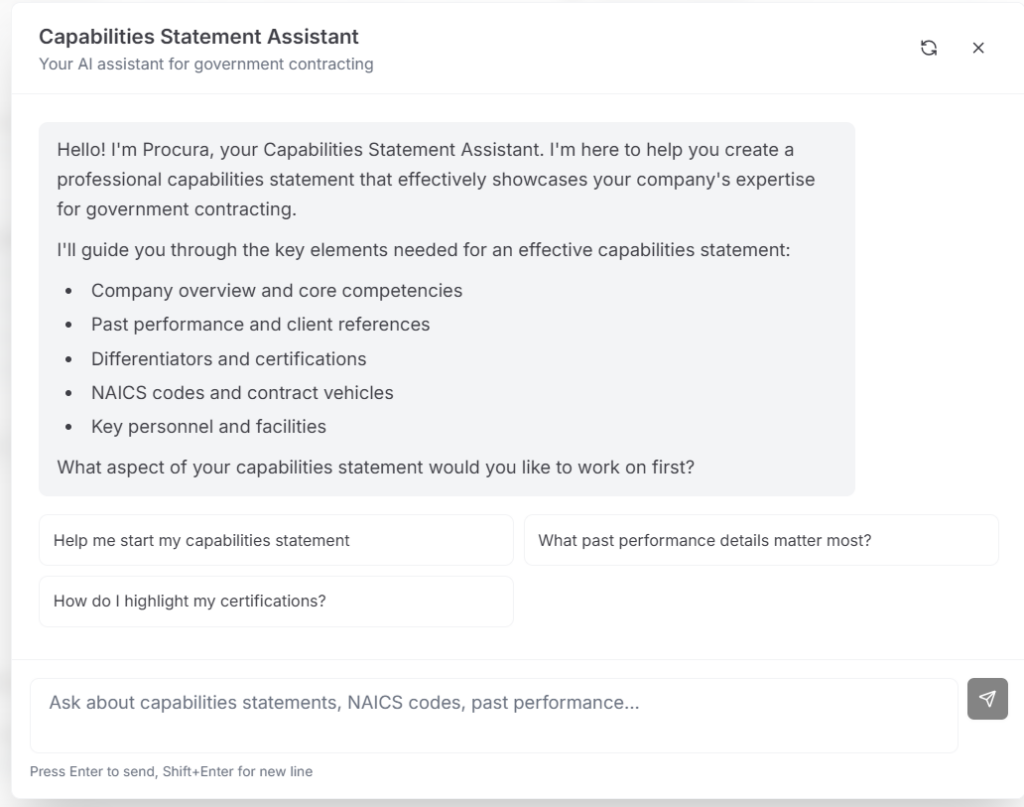
3. Craft a Capability Statement – Capability Statement Generator
A capability statement is a concise one-page “resume” of your firm, listing your services, past work, certifications, and NAICS codes[4]. It’s essential for federal work. Procura offers a free Capability Statement Generator to help you create one in minutes[15]. Include your core competencies, past performance highlights, and any socioeconomic statuses. Once your statement is ready, upload it into Procura. Procura’s AI then uses this statement as the basis for all analysis[14]. In other words, Procura reads your capabilities and scores every SAM.gov solicitation against them, so you don’t have to configure keyword searches. A well-crafted statement ensures Procura’s match algorithm correctly identifies the best-fitting opportunities for your business.
4. Research Contract Opportunities
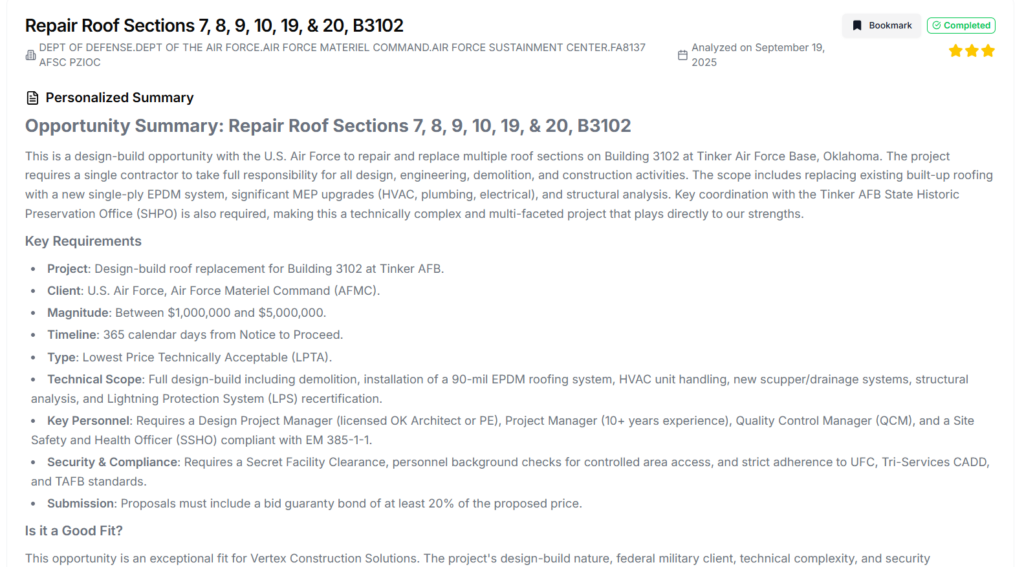
Use SAM.gov’s Contract Opportunities search (free to use) to find federal solicitations[5]. You can filter by NAICS, set-aside, agency, etc. Also review FPDS data for past awards and agency budget forecasts to spot trends[6][16]. As a subcontractor, check the SBA SUBNet and prime contractors’ subcontracting directories for leads[7]. However, manual searching can miss things. Procura automates this: once you’ve saved your capability statement, Procura continuously ingests every new SAM.gov posting[10]. It reads entire RFP packages (even attachments) and instantly assigns each a fit score and an executive summary[11]. This turns weeks of searching and reading into a quick review of only relevant bids. You’ll get alerts for new opportunities that match your profile, ensuring you never overlook a contract due to human error or time constraints.
5. Explore Teaming and Subcontracting
Small businesses can often win work as subcontractors. The SBA notes that large-contract primes must subcontract to small businesses under certain conditions[17]. Use SUBNet to find posted subcontracting solicitations by primes[7]. Ensure your DSBS profile is complete (primes use it to vet subs)[13]. Also connect with local PTAC/APEX centers for matchmaking. Procura aids teaming by pointing out “gaps” in your capabilities where a partner might help. For example, if a bid’s fit score is low in one area, Procura’s explanation will highlight that gap, signaling an area to team up or resource. This way, you focus your outreach on the primes and other small businesses that complement your strengths, rather than blindly approaching every contractor.
6. Ensure Compliance and Read Requirements
Government solicitations include many compliance requirements (FAR clauses on labor, environment, cybersecurity, etc.)[18]. Read the RFP carefully – any missed clause can disqualify a bid. (Note: DoD solicitations may require CMMC cybersecurity certification[19].) Procura helps by parsing all RFP attachments. Its AI highlights key clauses in plain language so you won’t overlook a requirement. In practice, that means if a solicitation calls for a security clearance or a performance bond, Procura will note that in the summary. You still need to ensure you can meet these requirements, but Procura’s analysis ensures nothing hides in the fine print.
7. Prepare Your Proposal and Pricing
When you identify a fitting opportunity, prepare your proposal with confidence. Use your capability statement content as a baseline, tailored to the solicitation’s needs. Follow the RFP’s instructions exactly (formatting, sections, etc.). Price your solution by adding up all costs (labor, materials, overhead) plus reasonable profit. Remember that FAR 15.402 requires prices to be fair and reasonable[9]. Procura’s benefit here is time: by filtering out poor matches, Procura frees you to write strong, well-supported proposals for the bids that matter. Its executive-ready summaries clarify what the government values, so your proposal addresses the right points (saving you from rewriting generic content).
8. Build Relationships and Stay Informed
Finally, government contracting is about people as much as process. Use your capability statement in outreach to agency buyers and prime contractors. Attend industry events and webinars. Monitor SBA and agency newsletters for news. Procura keeps you up-to-date automatically: as it scans the market, it “identifies trends and patterns” in contract awards[20]. For example, it might reveal that a certain agency is increasing spending in your field. Use these insights to guide your networking and strategic decisions. Over time, combining Procura’s market intelligence with active outreach will help you form partnerships and win more contracts.
Comparison Table: Step → Procura Feature → Benefit
| Step | Procura Feature | Benefit |
| Capability Statement | AI Capability Statement Generator[15] | Quickly generates a polished company profile that drives Procura’s analysis. |
| Opportunity Discovery | Automatic SAM.gov scanning[10] | Covers all federal solicitations; no manual searching. Saves hours per week. |
| Solicitation Analysis | Deep RFP parsing & Fit Scoring[11] | Finds hidden requirements and ranks opportunities by how well they fit your firm. |
| Compliance Checking | Full document analysis[21] | Highlights FAR and contract clauses so you don’t miss critical requirements. |
| Proposal Preparation | Executive summaries of bids[22] | Speeds bid/no-bid decisions; clarifies key deliverables for stronger proposals. |
| Strategic Insight | Alerts & trend analysis[23] | Spots agency spending patterns and new opportunities early to inform your networking. |
| Cost Efficiency | Small-team pricing[24] | Provides advanced BD tools at an affordable rate for small businesses. |
Quick Checklist
- SAM Registration: Sign up on SAM.gov and get a UEI[1]. Complete your profile with accurate NAICS and business info.
- SBA Certifications: Enroll in SBA set-aside programs (8(a), HUBZone, etc.) and list them in SAM[3].
- Capability Statement: Draft a one-page statement of your services and upload it to Procura[15].
- Use Procura’s Platform: Let Procura scan the market. Review the fit-scored opportunities it surfaces.
- Market Research: In parallel, search SAM.gov and FPDS, and note active agencies.
- Teaming: Check SUBNet and SBA DSBS for subcontract roles[7]. Meet local PTAC for support.
- Compliance: Read solicitation requirements closely; ensure you meet all RFP clauses (Procura will flag them).
- Proposal & Price: Use Procura’s summaries to focus your proposal. Price your bid to cover costs + profit (fair & reasonable[9]).
- Follow Up: After submitting, use Procura’s alerts and government sources to track awards and plan next steps.
Next Steps and CTAs
- Try Procura for Free: Sign up and upload your capability statement. Procura will immediately start delivering relevant contract leads to your inbox.
- Demo & Training: Book a demo with Procura’s team to see the platform in action and get tips on how to use the fit scores.
- Use SBA/PTAC Resources: Contact your local APEX/PTAC for one-on-one help with registrations and contracting strategy[8].
Meet with the Procura Team to See How We Can Help

[1] [3] [12] [18] [19] Basic requirements | U.S. Small Business Administration
https://www.sba.gov/federal-contracting/contracting-guide/basic-requirements
[2] [8] Entity Information | SAM.gov
https://sam.gov/entity-information
[4] [14] [15] Capability Statement Generator – AI Capability Statement for Federal Contracting
https://procurafederal.com/capability-statement-generator
[5] [16] Contract Opportunities | SAM.gov
[6] [7] [13] [17] Prime and subcontracting | U.S. Small Business Administration
https://www.sba.gov/federal-contracting/contracting-guide/prime-subcontracting
[9] Subpart 15.4 – Contract Pricing | Acquisition.GOV
https://www.acquisition.gov/far/subpart-15.4
[10] [11] [20] [21] [22] [23] [24] Procura Federal – AI-Powered Federal Contract Search & Analysis